7 Brew Coffee
Seven Brew Drive Thru CoffeeFood & Drink
4.92.28K Reviews
- Version
- 1.3.0
- Installs
- 500.00K
- Age Rating
- Everyone
Screenshots
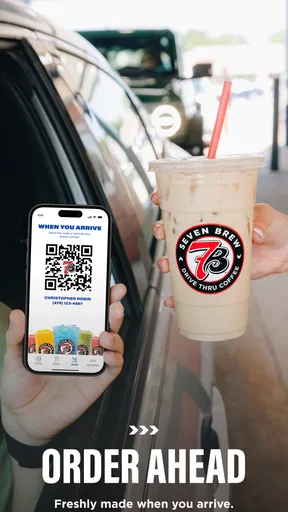
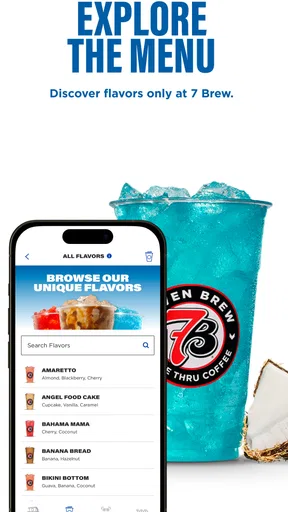
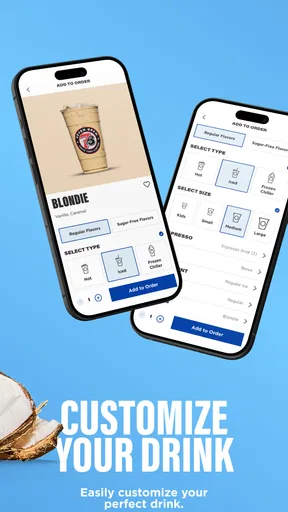
Our Review of 7 Brew Coffee
 Analysis by Appyee
My first impression of 7 Brew Coffee was that it is built for a very specific moment: I already know I want a drink from 7 Brew, I am on the move, and I would rather arrange the order before reaching the drive-thru. It is a free Food & Drink app from Seven Brew Drive Thru Coffee, focused on ordering ahead and handling the brand’s rewards in one place.
That narrow purpose is also its biggest strength. I would not install it expecting a general coffee finder, a recipe app, or a way to compare cafés. Instead, I see it as a practical companion for people who visit 7 Brew often enough to appreciate a quicker repeat order and a simpler way to keep track of rewards. For a first-time user, the important thing is understanding that the app becomes useful when you connect it to an actual visit, rather than treating it as a menu to browse casually.
What to expect before placing your first order
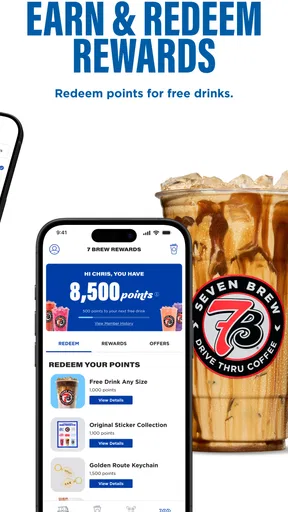
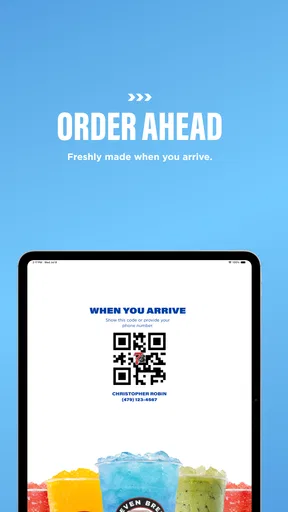
The app’s store summary is straightforward: order ahead, earn, and redeem 7 Brew rewards. In everyday use, that means the experience revolves around three jobs. I can look through the available drinks, prepare an order, and use the app as part of the rewards process. Those functions sound simple, but they address the small interruptions that happen during a busy coffee run: deciding at the window, repeating a complicated drink from memory, or forgetting to use an available reward.
I would describe the interface as purpose-built rather than broad. There is no reason to expect the range of account tools found in a large delivery marketplace, because this is tied to one drive-thru coffee brand. That focus makes sense if 7 Brew is already one of my regular stops. If I only want to discover nearby cafés, compare different chains, or order from several restaurants in one basket, a broader food-ordering service would be a better fit.
The app is free to install and is suitable for everyone according to its content rating. It has reached over 100 thousand installs, with an average rating of 3.9 from around 500 ratings. I read that as a useful but not flawless signal: enough people are using it to establish a real track record, while the rating suggests that convenience may depend on how well the app fits a person’s local routine and expectations.
Compatibility is reasonably accessible for older devices, since the current release, version 1.1.0, requires Android 8.0 or later. That matters if I am keeping an older phone for driving or work. On the other hand, iPhone users should look for the iOS edition separately, because Android compatibility details do not automatically describe the Apple version. The developer shown for the app is Seven Brew Drive Thru Coffee, which is exactly what I would expect from a service centered on that chain.
Why the drive-thru focus changes the experience
Many coffee apps are judged like delivery apps, but this one makes more sense when I think about the last few minutes before arriving at a location. I am not waiting at home for a courier. I am preparing a pickup that fits into a commute, a school run, or a quick break from work. That distinction affects how I use it: I want to make decisions before I pull into the line, then keep the handoff uncomplicated.
A useful habit is to build the order while parked, not while driving. I can check the drink details, make any choices the app presents, and review the order before committing. This is more than a safety reminder; it also prevents the rushed mistakes that are easy to make when I am trying to select a drink at the same time as navigating traffic.
The rewards side adds another reason to open the app even when I am not experimenting with the menu. A person who visits occasionally may use it mainly to remember that rewards exist. A frequent visitor can treat it as a routine checkpoint: open the app before ordering, confirm whether a reward is available, and decide whether redeeming it makes sense on that visit. I prefer that approach to assuming every reward should be used immediately, especially if I am ordering a small drink today and would rather save the benefit for a larger order later.
Getting set up without overthinking it
For a first-time user, I would begin by installing the app and opening it when I have a few quiet minutes. The goal is not to explore every screen at once. I would first look for the ordering path, identify how the app presents locations, and then inspect the rewards area. This gives me a mental map before I need the app in a hurry.
The most important setup decision is choosing the location that matches the visit I actually plan to make. An order-ahead workflow is only helpful if it is associated with the correct 7 Brew stop. I would double-check the selected location before finalizing anything, particularly if there are several stores along a regular route. A few seconds of checking here is preferable to discovering at the drive-thru that I prepared the order for the wrong place.
I would also take a moment to understand how the app represents an order before using it during a busy morning. Look for the selected drink, customization choices, quantity, and any reward or redemption option. This is one of the less obvious advantages of a calm first setup: I can learn where important information appears without the pressure of a line behind me.
Account setup is worth completing if I intend to use rewards repeatedly. The benefit is not just having another login; it is creating a consistent place for my ordering and reward activity. If I only need a one-off menu check, the app may feel like more effort than it is worth. If I expect to return, the initial setup becomes easier to justify because it supports repeat visits rather than a single transaction.
The first successful action: make one uncomplicated order
My advice is to make the first order deliberately simple. Choose a familiar drink, select the intended location, review the order, and use the order-ahead flow once before trying to recreate a highly customized beverage. This gives me a clean test of the complete journey: can I find the item, understand the choices, submit the order, and use the pickup process without confusion?
That first success is more valuable than spending ten minutes browsing. It tells me whether the app fits my normal coffee routine. If the order is easy to repeat, I have found the app’s practical value. If I discover that I prefer speaking directly with the barista for every order, I have learned that too, without building the app into my routine unnecessarily.
For a realistic example, imagine I am leaving for work and usually stop at 7 Brew on the way. Before starting the car, I open the app, select the location along my route, choose my usual drink, and review the order. At the drive-thru, I follow the pickup instructions presented by the service rather than trying to improvise. Once the visit is complete, I check the rewards area so I know whether the purchase contributed to my ongoing use of the app. The whole point is to move the decision earlier, when I have more attention available.
A second useful workflow is preparing an order for a group. I would add the drinks one at a time and pause after each choice to confirm the quantity and customization. Group orders are where small errors become expensive in time and disappointment. The app can make the list easier to organize than relying on several spoken requests, but it does not remove the need for a final review.
Rewards are helpful, but they still need attention
The rewards function is not something I would leave entirely to autopilot. Before placing an order, I would check whether the app shows a reward that can be redeemed and whether using it matches the purchase I am about to make. This creates a simple two-step habit: inspect the reward status, then decide. It is easy to tap through an order quickly and miss an opportunity, or to redeem something without considering whether another visit would make better use of it.
I would also keep the app open long enough to confirm that the order and reward activity look right after a visit. That does not mean repeatedly refreshing the screen; it means making a quick verification part of the first few uses. Once I understand how the app records activity, I can make the check less frequent, but the initial confirmation gives me confidence that I am using the system as intended.
This is where the app differs from paying at the window and forgetting about the transaction. The traditional method is faster when I am already standing at the drive-thru and have no interest in rewards. The app is more useful when I value a record of my activity and want to make ordering ahead part of a repeat routine. Neither approach is automatically better for everyone.
Where first-time users may become confused
The phrase “order ahead” can create an expectation that every part of the visit will work exactly like a delivery order. I would not approach it that way. The app is designed around a 7 Brew drive-thru visit, so I still need to pay attention to the selected location and the pickup process. Preparing the order in advance does not mean I can ignore where I am going or assume that any nearby store will automatically recognize it.
Another possible point of confusion is the relationship between ordering and rewards. They are connected in the app, but they are not the same task. I would treat the order screen as the place to choose the drink and the rewards area as the place to understand earning or redeeming. If I am unsure whether a reward is being applied, I would stop and review the order before submitting rather than guessing from a fast-moving checkout screen.
New users may also expect every menu item to behave identically. In practice, drink choices can present different options, and the safest approach is to read each selection rather than tapping through based on memory. This is particularly important when ordering for another person. A familiar name does not guarantee that the available choices are presented in the way I expect, so I would review the final summary carefully.
There is also a practical limitation in relying too heavily on the app during a rushed trip. If I have not set up the account, selected a location, or learned the ordering flow, using it for the first time at the entrance to a busy drive-thru may slow me down. The app saves time after I understand it; it is not necessarily a shortcut during the learning phase.
For that reason, I would keep a fallback plan for the first few visits. If the app does not feel clear enough on a particular morning, I can order in the usual way and return to the app later when I am not under pressure. That flexibility matters because convenience tools should reduce stress, not create a new deadline.
Who will appreciate it most
I think the best match is a regular 7 Brew customer who orders similar drinks, visits a familiar location, and wants to combine advance ordering with rewards. Commuters are an obvious group, but the same logic applies to parents making a morning stop, coworkers coordinating drinks, or anyone who prefers deciding before reaching the window.
It is also a good choice for someone who dislikes repeating a detailed order aloud. Preparing the drink in advance can make the process feel more controlled, especially when I am ordering several beverages. The app gives me a chance to review my choices privately instead of trying to remember every detail in a noisy drive-thru.
I would be less enthusiastic about recommending it to someone who visits 7 Brew only once, wants delivery from many restaurants, or prefers discovering independent cafés through a map. In those situations, a general ordering or local-discovery app offers broader value. The focused design that helps a loyal 7 Brew customer is also what limits its usefulness outside that brand.
People who change their order every time may also find the app less naturally convenient than regular customers do. It can still help with exploration, but the strongest payoff comes when I can repeat a known order and use the saved routine to reduce decisions. If my main pleasure is discussing new combinations at the counter, ordering ahead may remove part of that interaction.
My next-step routine after the first visit
After one successful order, I would not immediately turn the app into a daily habit. I would use it on the next few visits to answer practical questions: Is the selected location consistently correct? Do I understand where rewards appear? Does ordering ahead actually save time on my route? Those answers are more useful than simply assuming the app must be valuable because it has many installs.
Once the process feels familiar, I would create a small personal routine. Before leaving, choose the location, select the drink, inspect the customization, review the order, and check rewards. That sequence is short enough to remember and catches the most likely mistakes without making every visit feel like an administrative task.
A smart trade-off is to use the app for predictable orders and order directly for unusual requests or spontaneous decisions. I do not need to choose one method forever. The app is at its best when I know what I want and want the visit to be organized; the traditional drive-thru conversation is better when I need clarification or want to change direction at the last moment.
I would also keep the app updated when a newer release becomes available, while remembering that the current version is 1.1.0. Updates can change the way menus, rewards, or ordering screens are arranged, so I would avoid assuming that a familiar button will always be in exactly the same place. A quick review after an update is sensible if I depend on the app during a time-sensitive commute.
My overall view is positive but deliberately specific. 7 Brew Coffee is not a complete food-ordering platform, and it does not need to be. It succeeds when I use it as a focused tool for a 7 Brew drive-thru visit: prepare a known order, choose the right location, and keep rewards within reach. The experience takes a little initial attention, and it is not the right option for broad restaurant discovery or people who rarely visit the brand. For regular customers, though, the real benefit is moving small decisions out of the drive-thru line. Once that habit clicks, the app becomes a practical part of the coffee run rather than another icon sitting unused on my phone.
Privacy and Permissions
See what permissions an app requests and how it handles your data.
- Location
- approximate location (network-based), precise location (GPS and network-based)
- Other
- view network connections, full network access, run at startup, control vibration, prevent device from sleeping, Google Play license check
Verdict
Strengths of 7 Brew Coffee
- Quick drive-thru service is convenient for busy mornings.
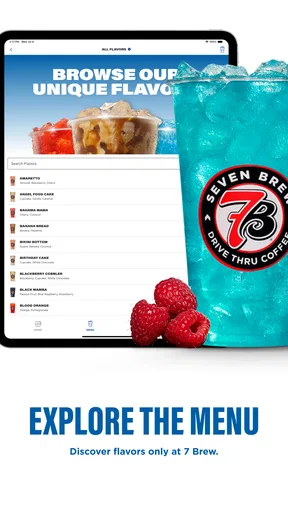
- Large menu offers coffee, energy drinks, teas, and smoothies.
- Many drinks can be customized with flavors, milk, and sweetness.
- Flavor combinations make it easy to try something different.
- The app helps locate nearby 7 Brew stands and view menu options.
Limitations of 7 Brew Coffee
- Menu variety can feel overwhelming for first-time customers.
- Specialty drinks may be high in sugar and calories.
- Prices can increase noticeably with multiple customizations.
- Most locations focus on drive-thru service, with limited seating.
- Availability and service quality may vary between locations.
Similar Picks in This Category
View All
Rappi: Food Delivery, Grocery
Rappi, Inc - Delivery3.5

McDonald’s: Cupons e Delivery
Arcos Dorados4.3

Swiggy: Food Instamart Dineout
Swiggy4.7

Blinkit: Groceries & more
Blinkit4.8

foodpanda: food & groceries
Foodpanda GmbH a subsidiary of Delivery Hero SE4.0

Zomato: Food Delivery & Dining
Zomato4.7
Frequently Asked Questions
What is 7 Brew Coffee, and what can I order through the app?
7 Brew Coffee is a drive-thru-focused beverage brand known for espresso drinks, flavored coffees, energy drinks, teas, smoothies, shakes, and other customizable options. Depending on your location and the app version available, the app may help you explore the menu, find nearby stands, check operating details, view promotions, and manage loyalty benefits. Menu availability and features can vary by store and region.
Does the 7 Brew Coffee app support mobile ordering or delivery?
Mobile ordering and delivery availability may depend on your location, the specific 7 Brew stand, and the current features offered in the app. Some users may primarily use the application for finding locations, checking menus, or accessing rewards rather than placing a complete order in advance. Before downloading, check the app listing and confirm whether ordering, pickup, or delivery is supported in your area.
Is there a loyalty or rewards program in 7 Brew Coffee?
7 Brew Coffee may offer loyalty-related features, promotions, or rewards through its official app or other account-based services, depending on the market and current program structure. These benefits can include tracking visits, receiving special offers, or earning rewards, but terms may change. Review the in-app rules carefully, especially regarding expiration dates, eligible purchases, participating locations, and account requirements.
Can I customize drinks and check ingredients or allergen information?
7 Brew is recognized for offering extensive drink customization, including flavor combinations, sweetness adjustments, milk choices, temperature preferences, and other modifications. However, customization options and ingredient information may differ between menu items and locations. If you have a food allergy or dietary restriction, do not rely only on the app description; confirm ingredients and preparation procedures directly with the store before ordering.
Is the 7 Brew Coffee app free, and what permissions does it require?
The 7 Brew Coffee app is generally free to download, although normal mobile data charges may apply when using it away from Wi-Fi. It may request permissions such as location access to show nearby stands, notifications for promotions or order updates, and account-related information for rewards or saved preferences. You can review and adjust permissions in your device settings after installation.
